Holding a letter key in macOS normally opens the accent menu, which is useful for entering characters such as é or ü. For editing code, navigating text, or repeating a character, the traditional key-repeat behavior can be more convenient.
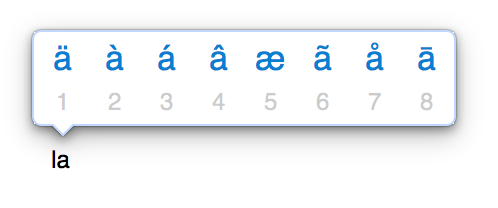
Enable Key Repeat
Open Terminal and disable the press-and-hold accent menu globally:
defaults write -g ApplePressAndHoldEnabled -bool false Quit and reopen affected applications after running the command. Logging out and back in applies the preference more broadly. Applications with their own keyboard handling may ignore the global setting.
The repeat rate and initial delay remain configurable under System Settings > Keyboard. This command only changes what happens when a character key is held.
Check the Current Setting
Read the stored global preference with:
defaults read -g ApplePressAndHoldEnabled A result of 0 means the accent menu is disabled and key repeat is enabled for applications that honor the preference.
Restore the Accent Menu
To return to the standard macOS behavior, set the preference back to true and restart affected applications:
defaults write -g ApplePressAndHoldEnabled -bool true